
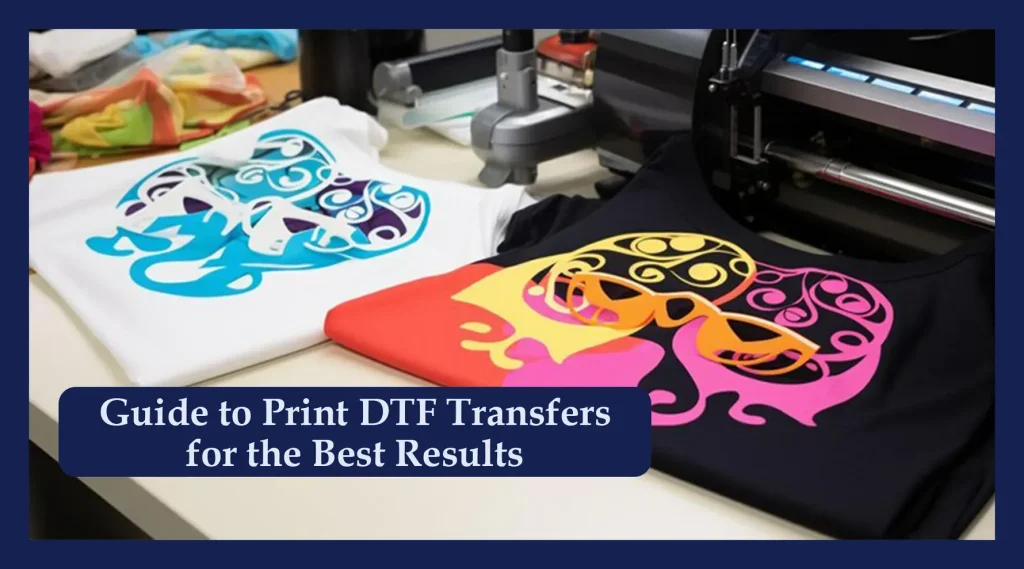
DTF Transfers Design Essentials are all about pairing strong artwork with smart production choices to yield durable, vibrant results from artwork to final print. If you’re new to direct-to-film transfers, mastering the basics of design alignment and project planning can save time and reduce material waste. This guide shows how design decisions, file readiness, and substrate considerations influence results so prints perform across a range of fabrics. Proper film handling, underbase planning, and precise curing contribute to improved durability and color longevity. By aligning artwork with the production workflow, you optimize the process from concept to finished garment.
In broader terms, DTF transfers fall under direct-to-film garment decoration, where print-ready artwork is prepared for a translucent film and transferred with heat pressing for DTF. From a broader perspective, the process hinges on a strong prepress workflow, color control in DTF printing, and reliable heat application across fabrics. Key concepts include artwork preparation for DTF, color management, film handling, and final finishing, all aligned to produce durable, vibrant results. Using consistent color profiles, underbase planning, and fabric compatibility checks helps ensure fabric wash fastness and a clean feel. Viewed as an integrated system of design, preparation, and heat pressing for DTF settings, this workflow becomes scalable and predictable for diverse substrates.
DTF Transfers Design Essentials: Artwork Prep for Peak Color Accuracy
DTF transfers rely on solid artwork preparation to unlock the full potential of the film and inks. In practice, this means designing with the printing pipeline in mind: use vector graphics for logos and type when possible, and reserve raster images at 300 dpi or higher for photos. Clean paths, minimal complex gradients, and well-defined outlines help prevent banding and keep edges crisp once the film is transferred to fabric. This is where the concept of artwork prep for DTF becomes a foundation for quality, ensuring every element translates accurately from screen to film to garment.
As you gear up for production, embed color profiles and plan for underbases on dark substrates. This approach supports color control in DTF printing by stabilizing hues and improving opacity where needed. Bleed allowances of 2–3 mm and safe zones away from edges reduce misalignment, while typographic choices that remain legible after transfer prevent post-production touch-ups. The goal is to create a master file that travels smoothly through the workflow without surprises in color, alignment, or readability.
Maximizing Color Control in DTF Printing for Vibrant, Consistent Results
Color control in DTF printing hinges on disciplined color management from design to print. Start with calibrated monitors and printers, and use a consistent ICC profile to drive soft-proofing and predictability. This practice helps you anticipate shifts before you commit ink to film, reducing waste and trial runs while improving overall color fidelity across fabrics.
Beyond device calibration, strategy around underbase densities and careful color separations determines how accurately hues reproduce on both light and dark substrates. Test prints remain essential whenever you introduce new shirts or fabrics, allowing you to verify color balance and edge sharpness. By aligning separations with the film’s white ink behavior, you maintain hue relationships and preserve the intended design intent through the final transfer.
Film Handling and Printing Process to Maintain DTF Quality
Treat transfer films as a critical consumable in the DTF workflow. Store films in a cool, dry place away from direct sunlight to prevent surface degradation, and handle them with clean, lint-free practices to avoid smudges that compromise image clarity. Using film designed for DTF and compatible inks helps preserve color density and print consistency from batch to batch.
Printer settings, nozzle health, and ink management all influence the final transfer. Maintain proper drying times to prevent smudging on the film, and monitor print speed to balance detail with productivity. White ink management—keeping the reservoir clean, agitating when needed, and avoiding air bubbles—prevents uneven coverage and guarantees a solid base for vibrant designs.
Heat Pressing for DTF: Techniques for Durable Transfers
Heat pressing is where design fidelity meets fabric performance. Adopting temperature and time guidelines—typically around 160–170°C (320–340°F) for 10–20 seconds—provides reliable adhesion while minimizing scorching risk. Longer dwell times can improve bond strength, but they also raise the possibility of dulling or scorching if not matched to the adhesive film and fabric.
A uniformly applied pressure and properly chosen platen type—whether calibrated clamshell or swing-away—ensures even contact across the transfer. Allow the printed film to cool before removing the carrier sheet to minimize color bleed and edge lift, and perform a post-press check on sample garments to validate wash performance and durability before large runs.
Substrates, Texture, and Finish: Maximizing Fabric Wash Fastness and Longevity
Fabric type and texture dramatically influence how DTF transfers feel and wear over time. Light fabrics tend to showcase crisper color with a lighter touch of underbase, while dark fabrics demand more opacity to preserve vibrancy. Understanding fiber content and weave helps tailor pressure, temperature, and dwell time to your substrate, supporting consistent results across runs.
Finish and care extend beyond the press. Texture and finish affect how the film adheres to the surface, and textured fabrics may require adjustments to feeding and alignment to avoid subtle misregistration. Emphasize proper cure and post-press care to improve fabric wash fastness, and provide end-users with washing guidelines that protect color, adhesion, and overall durability across multiple wash cycles.
Frequently Asked Questions
Q1: What are the core concepts of DTF Transfers Design Essentials, and why is artwork prep for DTF essential?
DTF Transfers Design Essentials blend strong artwork with smart production choices to yield durable, vibrant prints from Artwork to Final Print. Artwork prep for DTF ensures your file is print-ready by aligning resolution, color mode, clean paths, bleeds, and white ink considerations with the printing pipeline, reducing reprints and misalignment.
Q2: How does color control in DTF printing influence outcomes within DTF Transfers Design Essentials?
Color control in DTF printing relies on proper color management, accurate separations, and ICC profiles. Calibrate your monitor and printer, use soft-proofing, and run test prints to validate underbase density and color relationships; these steps support faithful reproduction within the DTF Transfers Design Essentials workflow.
Q3: What are best practices for heat pressing for DTF to maximize durability in DTF Transfers Design Essentials?
Heat pressing for DTF should use even, consistent pressure and temperatures around 160–170°C (320–340°F) for roughly 10–20 seconds, adjusted for your film and fabric. Allow the transfer to cool before removing the carrier and follow with appropriate post-press care to maximize adhesion, avoid scorching, and improve wash durability.
Q4: How can you optimize fabric wash fastness when applying DTF Transfers Design Essentials across different fabrics?
Fabric wash fastness improves when you cure properly, choose the right underbase for opacity on dark fabrics, and select fabrics compatible with the adhesive and inks. Conduct test washes on representative fabrics and provide end-user washing guidelines to preserve color and adhesion.
Q5: In the From Artwork to Final Print workflow, how does artwork prep for DTF impact the final transfer in DTF Transfers Design Essentials?
In the From Artwork to Final Print workflow, artwork prep for DTF sets the stage for successful transfers: create a clean master file with proper bleeds, layers, and separations, plan for white ink underbases, and verify fonts and vector paths. Thorough color proofing and film printing steps reduce surprises during heat pressing and help achieve consistent results on multiple fabrics.
| Section | Key Points |
|---|---|
| Introduction | DTF transfers pair artwork with smart production choices for durable, vibrant results from artwork to final print; aims to save time, reduce waste, and improve quality; design with DTF in mind; manage colors, handle transfer films, and apply heat pressing for longevity across fabrics. |
| 1) What DTF transfers bring to the table | Versatile textile decoration via printed film transferred with heat/pressure; wide color gamut; strong durability with proper care; design must consider translucent film and white ink layers; emphasizes planning and precision from the outset. |
| 2) Artwork preparation for DTF | High-quality start; align file with printing pipeline; – Resolution and file type: vector logos/text; raster 300 dpi+; clean paths; avoid complex gradients; – Color mode/profile: CMYK or Lab; embed ICC profiles; – Bleeds/safe areas: 2–3 mm bleed; keep critical elements away from edges; – White ink considerations: plan underbase; – Typography/readability: clear typefaces; outline fonts if needed. |
| 3) Color control and separations | Color management workflow: calibrate monitor/printer with ICC profile; soft-proofing. Underbase strategy: test densities for hue on light/dark fabrics. Color separations: preserve color relationships while accounting for white ink behavior; Test prints: small tests. |
| 4) Film handling and printing process | Film is the canvas; store in a cool, dry place away from direct sunlight. Ink types and curing: use inks designed for DTF and follow drying times. Printer settings: nozzle health, speed, heat; balance for edge sharpness and efficiency. White ink management: keep reservoir clean, agitate as needed, avoid air bubbles. |
| 5) The heat press process for DTF | Temperature/time: ~160–170°C (320–340°F) for 10–20 seconds; verify with adhesive film and fabric; longer dwell increases adhesion but may risk scorching. Pressure/platen: even pressure; calibrated clamshell or swing-away with flat platen. Cooling/removal: cool before removing carrier to prevent color bleeding. Post-press care: wash test on a sample garment. |
| 6) Substrates, texture, and finishing considerations | Light vs. dark fabrics: lighter fabrics show cleaner color pop; dark fabrics need more underbase planning. Fiber content and weave: cotton, poly-cotton, polyester differ in adhesion; adjust pressure, temp, dwell. Texture/fiber finish: rough fabrics risk misalignment/banding; use test swatch. Wash care/durability: curing/heat improve wash fastness; provide end-user washing guidelines. |
| 7) Quality assurance and troubleshooting | Color shifts: revisit color management and test with color targets; ensure consistent film feeding and ink levels. Ghosting/misregistration: calibrate printer/heat press; use registration marks. Peeling/adhesion: verify curing, underbase thickness, fabric compatibility; review pre-wash/finishing. Surface cracking/stiffness: excessive heat; reduce dwell time; check film guidelines. |
| 8) From Artwork to Final Print: a streamlined workflow | Step 1–Concept/design planning; Step 2–Artwork preparation; Step 3–Color proofing/separations; Step 4–Printing the transfer film; Step 5–Curing/inspection; Step 6–Heat pressing/finishing; Step 7–Post-press care/validation. |